

Contact info

Follow us

Search Blog, projects, Service or people.

Microsoft Dynamics Integration

Microsoft Dynamics Integration with Micraft

Dynamics manages your business operations. Micraft manages your production, warehouse, and logistics. The integration between them means work orders and inventory data flow between both systems automatically.

Real-time sync between Dynamics 365, Business Central, or NAV and your operational floor.

Integration Capabilities

What the Dynamics-Micraft Integration Does

Production Orders: Dynamics to MES

Production orders released in Dynamics flow into Micraft MES automatically — with routing, quantities, and scheduling. Work begins from current Dynamics data without manual entry.

Inventory Synchronisation

Stock movements confirmed in Micraft WMS update Dynamics inventory journals in real time. Receipts, issues, transfers, and dispatch reflected in Dynamics instantly.

Order Fulfilment Confirmation

Delivery confirmations from Micraft's logistics update Dynamics sales orders — keeping customer-facing status current and triggering billing workflows.

Operational Insights in Dynamics

Real-time production actuals and warehouse performance data from Micraft can be pushed into Dynamics Power BI or dashboards for unified reporting.

With Integration vs Without

Without Integration
With Micraft Integration
Manual re-entry into floor system
Work Orders
Automated real-time flow to MES
Batch updates, stock mismatch
Inventory
Real-time sync on every movement
Manual status updates in Dynamics
Shipments
Automatic fulfillment confirmations
Delayed data from shop floor
Reporting
Live performance metrics in ERP
Disconnected silos of data
Workflow
Integrated end-to-end data flow
Technical Layer

Integration Architecture

Microsoft Dynamics integration uses Microsoft's standard Web Services (OData/SOAP) framework for cloud and on-premise deployments.

D365 / BC

Web Services (OData/SOAP)

Web services (OData or SOAP) via Microsoft Integration Framework. Modern, secure, and fully aligned with Microsoft's cloud-native strategy.

NAV / AX

NAV Web Services or Direct API

NAV web services or direct database connectivity via middleware depending on version — the standard approach for older on-premise NAV/AX environments.

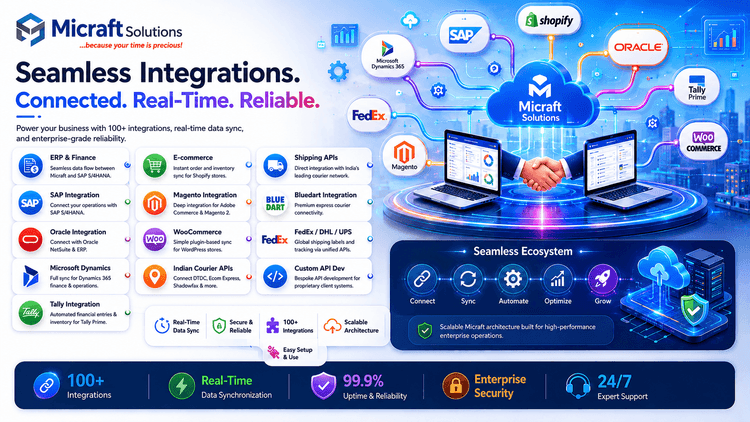
Dynamics-Micraft Integration Architecture Diagram

Dynamics-Micraft Integration Architecture Diagram

How the approach is determined

The approach depends on your Dynamics product — 365, Business Central, NAV, or AX. Our team assesses your version and environment before any build begins.

Ideal For

Who This Integration Is For

Manufacturing and distribution businesses running Microsoft Dynamics who need real-time shop floor execution data synchronised with their ERP.

  • Dynamics 365 / Business Central users who need real-time operational execution data synchronised with production and warehouse modules.
  • Dynamics NAV or AX users who need a modern operational layer without upgrading their core ERP immediately.
  • Businesses requiring single source of truth for inventory, production status, and delivery performance.

Dynamics Integration — Common Questions

Yes. Micraft supports modern Dynamics 365 / Business Central cloud as well as older on-premise NAV and AX versions.

Yes. Work orders flow from Dynamics to Micraft. Production results, stock updates, and delivery confirmations flow from Micraft back to Dynamics.

Typically 4–8 weeks depending on the number of integration points and the version of Dynamics in use.

We use standard Microsoft authentication protocols (OAuth/SSL) to ensure all data transferred between systems is encrypted and secure.

Connect Dynamics to Your Operations.

Talk to our integration team. We'll scope the connectivity for your Dynamics environment and provide a clear timeline for implementation.